Scan paper to PDF. At your pace.
Scan to PDF Converter
Scan paper directly from a compatible scanner, arrange the pages and save one multi-page PDF on your Windows PC.
100% Free. No Registration. No Activation.
- ✓All included features are free
- ✓No trial expiry
- ✓No subscription
Windows 10 & 11 · 64-bit
From paper or pictures to one PDF
Choose the scanner. Arrange the pages. Save your PDF.
Use a compatible Windows WIA or TWAIN scanner, or start with existing image files. The screens below are from Scan to PDF Converter 9.1.0.
1. Select the driver and a supported paper source
Install your scanner's Windows driver, connect it and turn it on. Select WIA or TWAIN, then choose Refresh and select the device. The paper-source list is populated from the capabilities reported by that device.
- Flatbed: scan the page on the glass.
- Automatic document feeder: feed a stack when the scanner reports an ADF.
- Feeder · both sides: available only when the scanner and driver report duplex support.
Choose an available resolution and Color, Grayscale or Black and white. Select Scan documents to acquire pages. For a flatbed, repeat for additional sheets before creating the PDF.
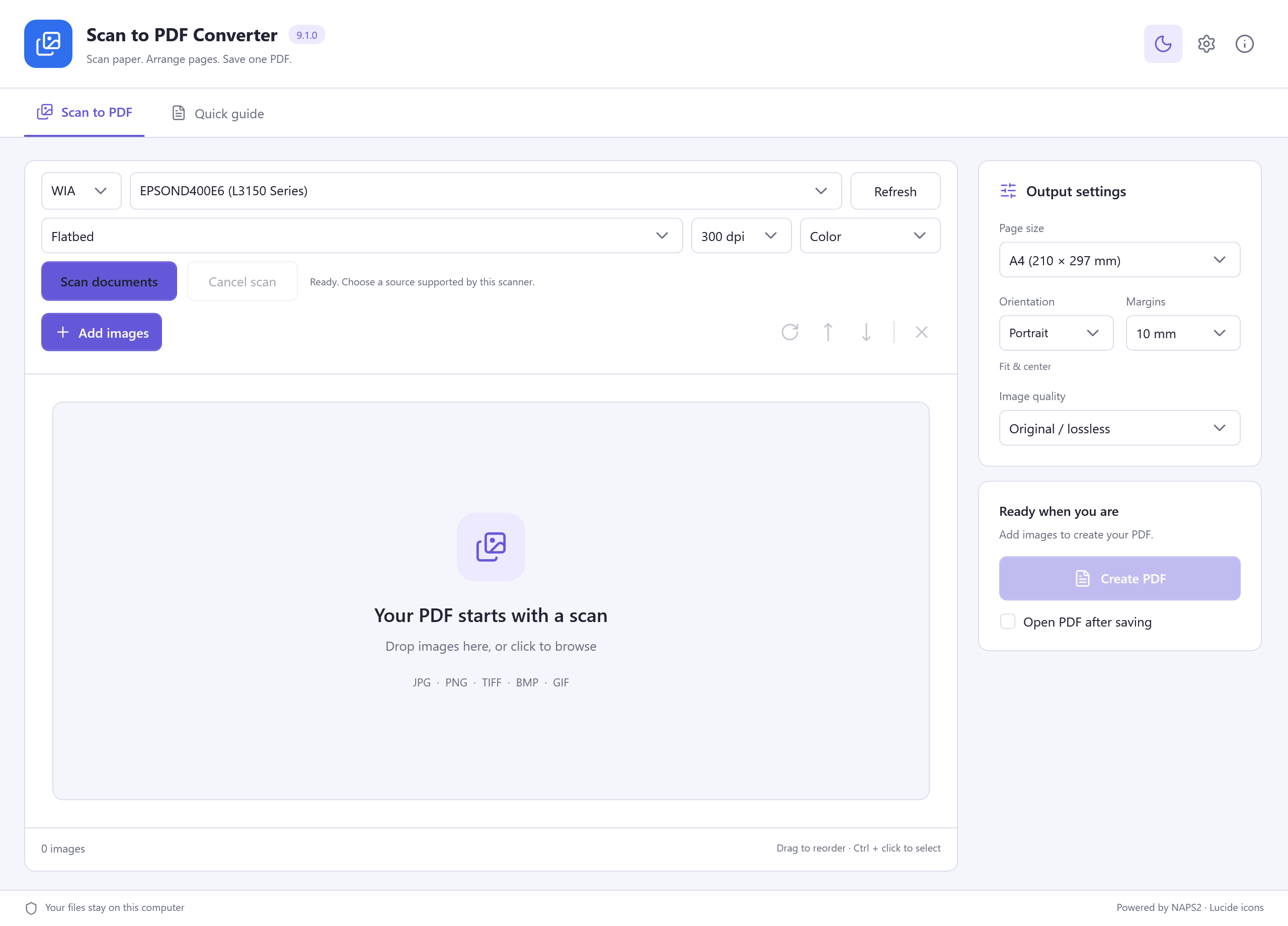
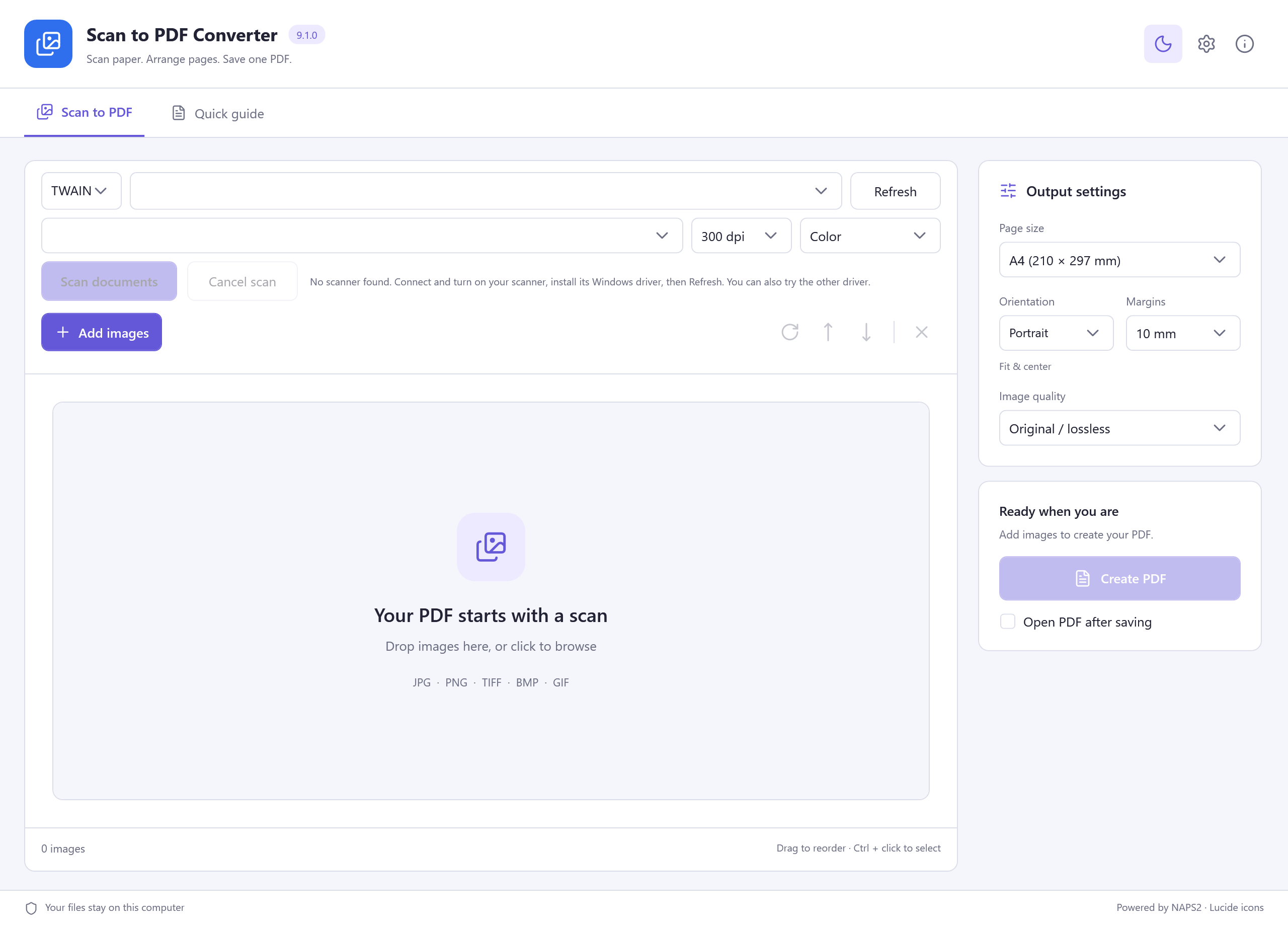
Check power, connection and the installed Windows driver, then Refresh. Try the other driver type. A WIA device can be present even when TWAIN returns no devices. If no device is detected, scanning stays disabled; Add images still works.
See the actual no-device TWAIN screen
2. Arrange scanned pages or import existing images
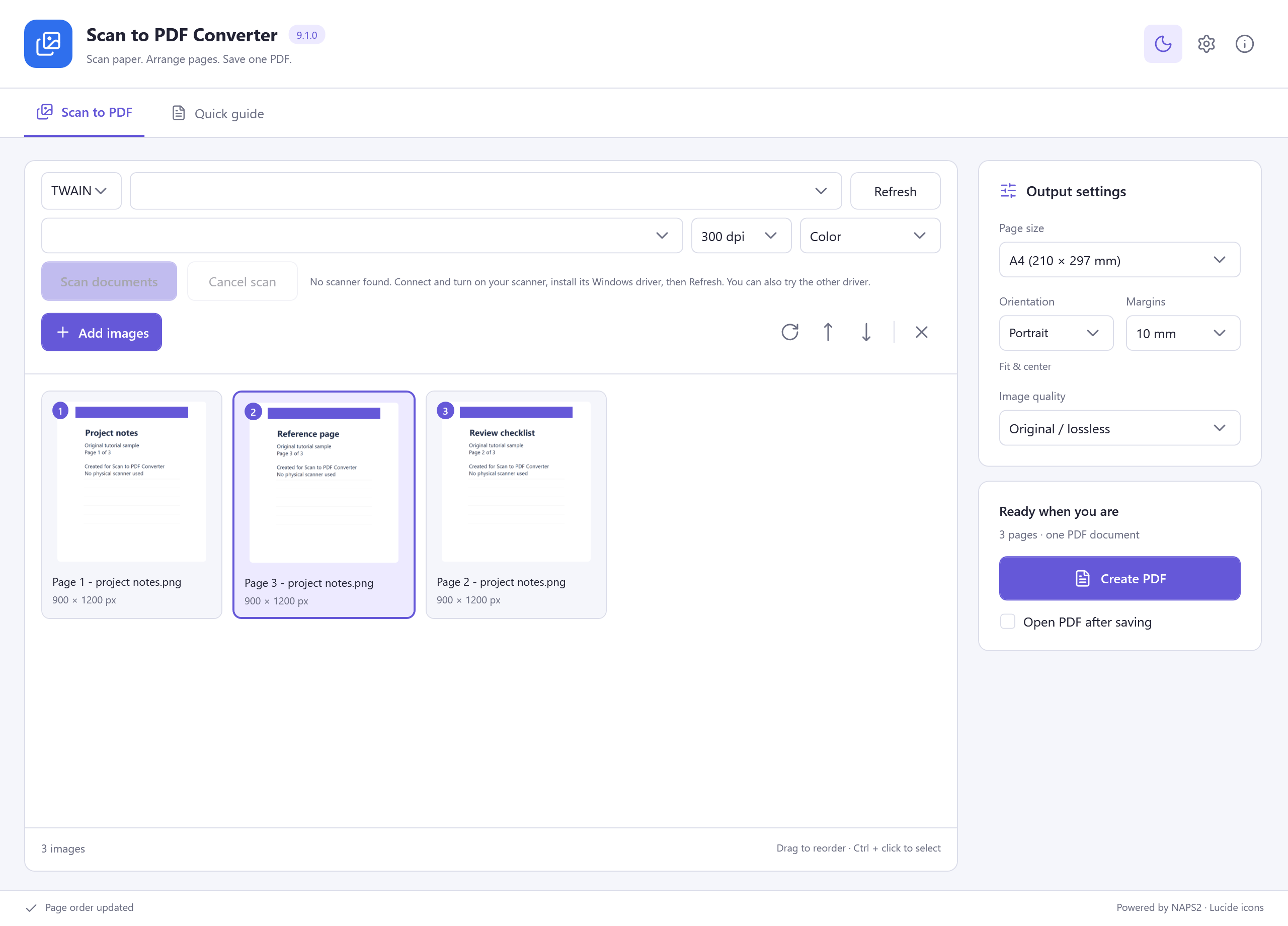
Acquired pages appear as thumbnails. To use existing pictures instead, choose Add images or drop JPG, PNG, TIFF, BMP or GIF files into the window. Image import is a separate route and does not require a scanner.
Drag thumbnails to set the reading order, or select a page and use the up/down buttons. Rotate a selected page with the rotate control; remove unwanted pages before export. Ctrl + click selects several images.
Review the page count and the right-hand Output settings. Choose A4, Letter, A5 or Original image size; then check orientation, margins and image quality. Original image size keeps each image's dimensions rather than fitting every page to A4.
3. Create one PDF and check every page
Select Create PDF, choose a destination and file name, and wait for the saved confirmation. Use Open PDF or Show in folder to find the result. Check page order, orientation, margins and legibility in your PDF reader.
The illustrated result contains three imported sample pages. Scanner selection was verified, but a physical scan, ADF feed and duplex scan were not performed. The saved PDF contains images; this workflow does not claim to recognize them into editable or searchable text.
Download Scan to PDF Converter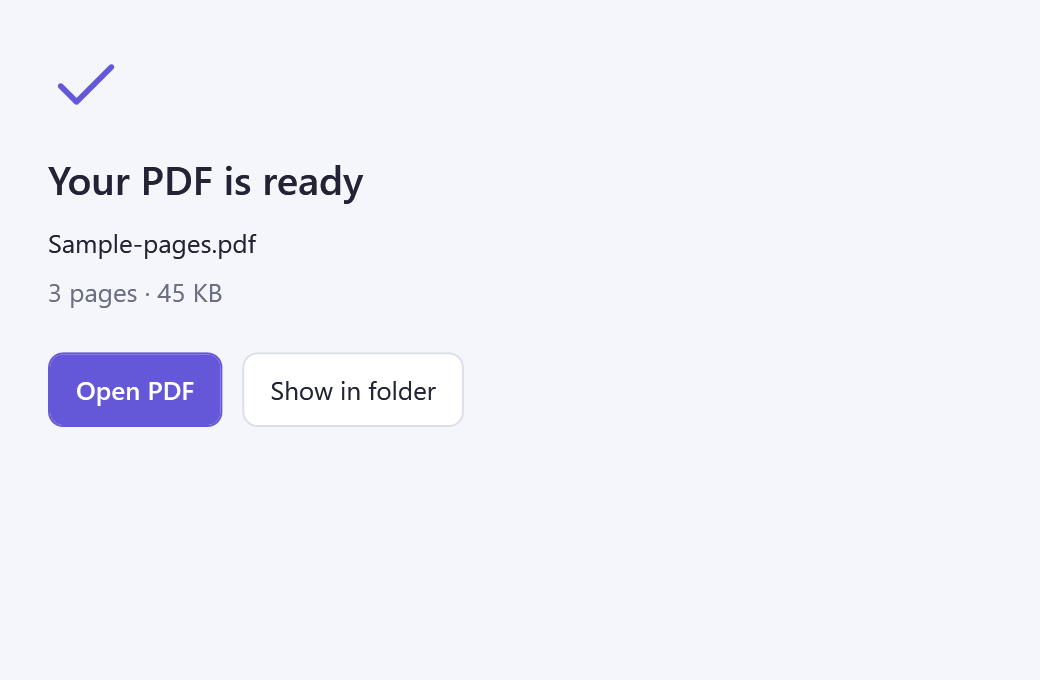
No account to create
Keep it simple. Keep it free.
All included application features are free to use.
Is Scan to PDF Converter really 100% free?
Yes. You can use all included features without registration, activation, a license key, payment card or subscription. There is no trial expiry or paid feature unlock.
Does another offer decide whether I can use the app?
No. Setup may show an optional RelevantKnowledge research invitation with its own choices. You can decline or skip it and still install and use the free application.
Will my original files change?
Use a new output file name and keep your original files. Check your document, recording or conversion before replacing an older copy.
Free Windows scan and image workflow
Create a PDF from your next set of pages.
Free Windows software, with no account, activation or subscription.
Read the installation guideScan to PDF Converter
Version 9.1.0 · Windows 10 & 11, 64-bit
Download for Windows- ✓100% free, all app features included
- ✓No registration or activation
- ✓No paid unlock or trial expiry
Requirements and download details
Windows 10 or 11, 64-bit. Administrator permission is required to install in Program Files. A compatible scanner and its WIA/TWAIN driver are needed for physical scanning. Keep enough disk space for source, temporary and output files.